7 Best Focus Apps for ADHD Adults at Work
Finding the best focus apps for ADHD adults at work is not just about downloading something new — it is about finding…
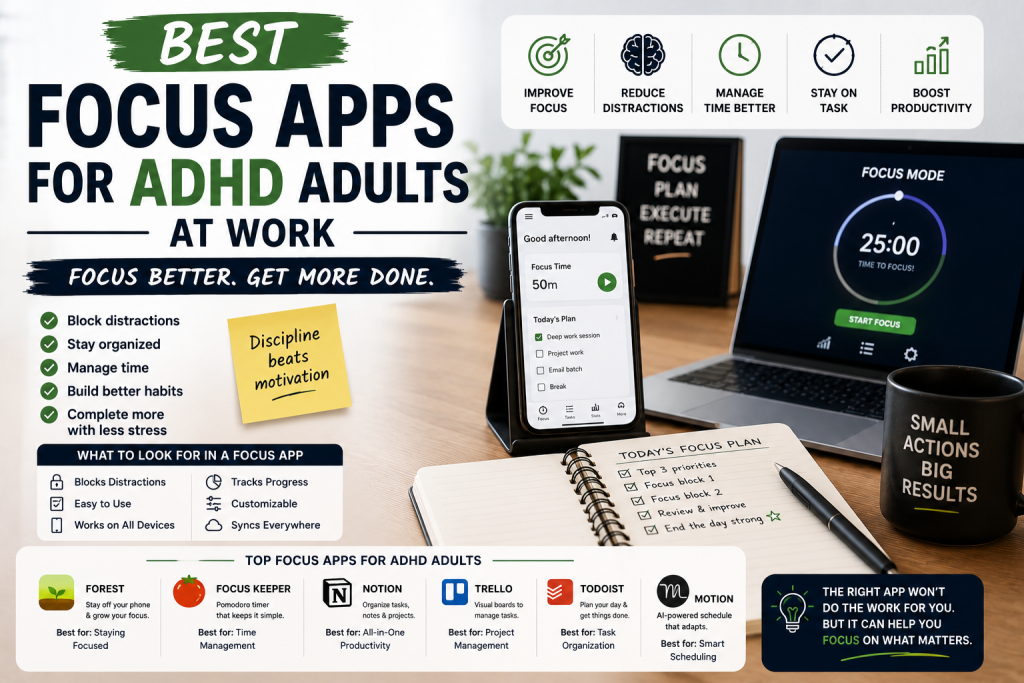
Finding the best focus apps for ADHD adults at work is not just about downloading something new — it is about finding the rare tools that actually stick beyond the first exciting week.
Why Most Productivity Apps Fail ADHD Adults — And What Actually Works
Here’s a frustrating paradox that most ADHD adults know all too well.
You download a new productivity app with genuine excitement and optimism. You spend an hour setting it up, organizing your tasks, customizing your workspace. It feels amazing. You feel productive just from the setup alone.
Then three days later you’ve completely forgotten it exists.
This isn’t a character flaw. It’s a predictable pattern rooted in how ADHD brains respond to novelty.
The initial excitement of a new system triggers a dopamine response that feels like motivation, but it’s actually just the novelty effect.
If you want to understand exactly why this happens and how to work with it instead of against it read our breakdown of how dopamine drives your focus and motivation — it changes how you think about every productivity tool you use.
Once the newness wears off, the dopamine disappears and so does the habit.
The focus apps that actually work for ADHD adults are built differently. They don’t rely on your motivation to open them. They create environmental constraints that make distraction harder and focus easier. They use gamification, accountability, and visual feedback to keep ADHD brains engaged beyond the initial novelty phase. And they integrate seamlessly into your existing workflow rather than requiring you to build an entirely new system from scratch.
In this guide we’ve rounded up the best focus apps for ADHD adults at work — apps that have proven staying power in the ADHD community and deliver real, lasting results beyond the first exciting week.
What to Look for in a Focus App for ADHD at Work
✅ Distraction Blocking Capability
The most powerful focus apps for ADHD don’t just help you plan your work — they actively prevent you from getting distracted while doing it. Look for apps that can block social media, news sites, and other distracting apps and websites during focus sessions.
✅ Low Friction to Start
If opening and setting up the app takes more than 30 seconds, ADHD brains will find reasons to skip it. The best focus apps are fast to open, fast to configure, and get you into focus mode with minimal steps.
✅ Visual Progress and Feedback
ADHD brains need to see progress to stay motivated. Apps that show you a growing forest, a filling progress bar, or a streak counter give your brain the immediate visual feedback it needs to keep going.
✅ Flexibility for Different Work Types
Some days you need 25-minute Pomodoro sprints. Other days you need uninterrupted 90-minute deep work blocks. The best focus apps accommodate different working styles without forcing you into a rigid one-size-fits-all structure.
✅ Cross-Device Functionality
ADHD adults work across multiple devices — laptop, phone, tablet. Focus apps that only work on one device leave gaps where distraction can creep in. Look for apps with cross-device blocking and syncing.
✅ Accountability Features
Some focus apps connect you with other users for accountability — whether through shared focus sessions, public commitment devices, or social features. For ADHD adults who thrive with external accountability, these features can be transformative.
The 7 Best Focus Apps for ADHD Adults at Work
1. Freedom — Best Overall Focus App for ADHD Distraction Blocking
Best for: ADHD adults who need serious, cross-device distraction blocking that they can’t easily override
Freedom is the most powerful distraction blocking app available — and it has earned a devoted following in the ADHD community for one simple reason: it actually works. While most distraction blocking apps can be bypassed with a few taps, Freedom makes bypassing your blocks genuinely difficult — particularly when you enable Locked Mode, which prevents you from editing or disabling your block list until the session ends.
Freedom blocks distracting websites and apps across all your devices simultaneously — Mac, Windows, iOS, and Android — so you can’t simply switch from your laptop to your phone when you feel the urge to scroll. This cross-device blocking is critical for ADHD adults because the temptation to reach for a device is almost always stronger than the intention to stay focused.
What Makes It Great for ADHD:
- Cross-device blocking covers Mac, Windows, iOS, and Android simultaneously
- Locked Mode prevents bypassing blocks during active sessions
- Pre-scheduled blocking sessions run automatically without requiring manual activation
- Blocklist customization lets you block exactly what distracts you most
- Session scheduling means blocks start automatically — no willpower required
- Recurring sessions build consistent distraction-free work habits
Potential Drawback:
- Locked Mode can be frustrating if you genuinely need to access a blocked site
- Subscription cost adds up over time
- Occasional technical issues with browser extensions
Best For: ADHD adults who have tried other distraction blockers and found them too easy to bypass — Freedom’s Locked Mode is the most serious distraction blocking available for people who genuinely can’t trust themselves around open internet access during work sessions.
2. Forest — Best Gamified Focus App for ADHD Motivation
Best for: ADHD adults who are motivated by visual progress, gamification, and real-world impact
Forest is one of the most beloved focus apps in the ADHD community — and its genius lies in its simplicity. You set a timer, plant a virtual tree, and watch it grow as you focus. If you leave the app to check social media or browse the internet, your tree dies. Over time your completed focus sessions build a virtual forest that visually represents your productivity history.
For ADHD brains that need immediate, tangible rewards to sustain motivation, watching a tree grow in real time is surprisingly powerful. The visual representation of your focus history also gives you a concrete record of your productive sessions — something ADHD adults often struggle to perceive because of working memory challenges.
What Makes It Great for ADHD:
- Gamification makes focus sessions immediately rewarding
- Visual forest grows with every completed session
- App blocking prevents phone distraction during focus sessions
- Real tree planting through partner organizations adds meaningful purpose
- Focus history provides visual evidence of productivity over time
- Available on iOS, Android, and as a Chrome extension
Potential Drawback:
- App blocking only works within the Forest app ecosystem
- Requires willpower not to force-close the app when temptation strikes
- Free version has limited features — premium required for full functionality
Best For: ADHD adults who are motivated by visual progress and gamification and want a focus app that makes staying on task feel genuinely rewarding rather than effortful.
3. Brain.fm — Best Focus Audio App for ADHD Deep Work
Best for: ADHD adults who work best with scientifically designed background audio during focus sessions
Brain.fm is the focus app that works at a neurological level — using AI-generated music with embedded neural phase locking technology to guide your brain toward a focused state. Unlike regular music or white noise, Brain.fm’s audio is specifically engineered to drive the brainwave patterns associated with sustained attention and deep work.
Multiple studies have demonstrated meaningful improvements in focus and cognitive performance with Brain.fm compared to silence, regular music, or standard white noise. For ADHD adults who have already experimented with focus music and found it helpful, Brain.fm takes that benefit to a significantly higher level.
What Makes It Great for ADHD:
- Scientifically designed audio drives focus brainwave states
- Multiple modes including focus, relaxation, sleep, and meditation
- ADHD-specific focus tracks available
- Works on any device with any headphones or speakers
- Tracks listening sessions and provides focus analytics
- New content generated continuously — no repetition fatigue
Potential Drawback:
- Monthly subscription required for full access
- AI-generated music takes some getting used to for new users
- Requires internet connection for full functionality
Best For: ADHD adults who work best with background audio and want the most scientifically advanced focus music available — particularly powerful when combined with noise-canceling headphones.
4. Focusmate — Best Accountability Focus App for ADHD Remote Workers
Best for: ADHD adults who work from home and need human accountability to stay on task
Focusmate solves one of the most common and debilitating ADHD work-from-home challenges — the complete absence of external accountability. When you work alone, there’s nobody watching, nobody expecting you to be productive, and nothing stopping you from spending three hours on YouTube instead of the project that’s due tomorrow.
Focusmate changes this by connecting you with a real human being for a 25 or 50-minute virtual co-working session. You turn on your cameras, briefly state your goal for the session, work silently alongside each other, and check in at the end. The simple fact that another person is present — watching you work — activates the body doubling effect that makes ADHD brains dramatically more productive.
What Makes It Great for ADHD:
- Body doubling effect dramatically increases follow-through and focus
- Sessions available around the clock with a large global community
- Simple booking process — book a session and show up
- 25 and 50-minute session options accommodate different work styles
- Tracks completed sessions over time for accountability history
- Free tier available with limited weekly sessions
Potential Drawback:
- Requires camera and stable internet connection
- Not suitable for confidential or sensitive work
- Social anxiety may make some users uncomfortable on camera initially
Best For: ADHD remote workers and freelancers who struggle most with self-directed focus when working alone and consistently do their best work in the presence of other people.
5. Notion — Best All-in-One ADHD Work Organization and Focus App
Best for: ADHD adults who want a single flexible workspace that combines task management, note-taking, and project organization
Notion has become the productivity app of choice for a significant portion of the ADHD professional community — and it’s easy to understand why. It’s endlessly flexible, visually engaging, and capable of replacing an entire ecosystem of separate apps with a single unified workspace that you can customize completely around how your specific ADHD brain works.
The key to making Notion work for ADHD is keeping your setup simple. The temptation is to build an elaborate system with dozens of linked databases and complex views — but for most ADHD adults, a simple daily task board, a project tracker, and a quick capture inbox is all you need to dramatically improve your focus and organization.
What Makes It Great for ADHD:
- Flexible enough to build any system your ADHD brain needs
- Visual kanban boards make task status immediately clear
- Quick capture features prevent ideas from getting lost
- Links between pages and databases reduce context switching
- Available on all devices with seamless sync
- Large ADHD Notion template community provides ready-made systems
Potential Drawback:
- Blank canvas can be overwhelming without a clear starting template
- Risk of spending more time building the system than using it
- No built-in distraction blocking — pairs better with Freedom or Forest
Best For: ADHD adults who want a single flexible digital workspace that can be completely customized around their unique working style and organizational needs.
6. Sunsama — Best Daily Planning Focus App for ADHD Professionals
Best for: ADHD professionals who want a structured daily planning ritual that connects tasks to focused work sessions
Sunsama was built specifically for professionals who struggle to bridge the gap between their task list and their actual workday — and it solves this problem better than any other app available. Every morning Sunsama guides you through a structured planning ritual where you pull tasks from connected tools like Asana, Trello, Gmail, and Slack and schedule them into focused time blocks for the day.
The daily hour limit feature is particularly powerful for ADHD adults who chronically overcommit — Sunsama gently tells you when you’ve planned more work than realistically fits in a day, forcing a realistic assessment of what’s actually achievable. The evening shutdown ritual at day’s end provides the closure and transition that ADHD brains struggle to create naturally.
What Makes It Great for ADHD:
- Guided morning planning ritual creates structure and intention for the day
- Daily hour limit prevents ADHD overcommitting and overwhelm
- Integrates with all major work tools to centralize task management
- Visual daily timeline shows exactly how time is allocated
- Evening shutdown ritual builds closure and transition habit
- Calm, distraction-free interface reduces cognitive overwhelm
Potential Drawback:
- Higher subscription cost than many alternatives
- Morning ritual can feel slow during low-motivation periods
- Requires integration setup with existing work tools for full benefit
Best For: ADHD professionals who use multiple work tools and struggle to consolidate their tasks into a focused, realistic daily plan.
7. Todoist — Best Task Management Focus App for ADHD Simplicity
Best for: ADHD adults who want the most reliable, frictionless task capture and management system available
Todoist has been one of the most consistently recommended task management apps for ADHD adults for years — and its longevity in the community speaks to something important. It works. It’s fast, it’s reliable, it’s available everywhere, and its natural language input makes capturing tasks so frictionless that even on bad ADHD days, adding something to your list takes less than five seconds.
The key focus feature for ADHD adults is the Today view — a single, clean list of everything you’ve committed to doing today. No distractions, no complex views, no information overload. Just your tasks for today, in priority order, ready to be worked through one by one.
What Makes It Great for ADHD:
- Natural language input makes task capture instant and frictionless
- Today view provides a single clean daily focus list
- Priority levels help ADHD brains identify what matters most
- Karma points and streaks add gamification for sustained engagement
- Available on every platform with instant sync
- Integrates with calendar, email, and hundreds of other tools
Potential Drawback:
- No built-in time blocking or focus session features
- Can become overwhelming if tasks accumulate without regular review
- Gamification elements may lose novelty over time
Best For: ADHD adults who want the most reliable, frictionless task management system available — particularly powerful when combined with a calendar tool for time blocking.
How to Actually Stick to Using Focus Apps with ADHD
1. Pick one app and commit to it for 30 days. App hopping is one of the most common ADHD productivity traps. Choose one focus app, commit to using it every day for 30 days, and evaluate honestly before switching. Most apps need at least two to three weeks before they become habitual.
2. Reduce the number of steps to open it. Put your focus app on your home screen, your taskbar, or set it to open automatically when you start your computer. The fewer steps between you and the app the more likely you are to use it consistently.
3. Pair your focus app with a physical trigger. Use your focus app every time you put on your headphones, sit at your desk, or make your morning coffee. Attaching the digital habit to a physical ritual dramatically improves consistency for ADHD brains.
4. Use blocking apps alongside planning apps. Planning apps tell you what to do. Blocking apps prevent you from doing everything else. The combination of the two is far more powerful than either alone — use Todoist or Notion for planning and Freedom or Forest for distraction blocking simultaneously.
5. Review your app usage weekly. Once a week spend five minutes looking at what your focus app is telling you about your productivity patterns. When are you most focused? What keeps derailing you? This data is gold for ADHD adults working to understand and optimize their unique work patterns.
Frequently Asked Questions
What is the best focus app for ADHD adults? Freedom is our top pick for ADHD adults who struggle most with digital distraction — its cross-device blocking and Locked Mode make it the most serious distraction-blocking tool available. For those who need accountability, Focusmate is transformative. For all-in-one daily planning, Sunsama is unmatched.
Are focus apps enough to manage ADHD at work? Focus apps are powerful tools but they work best as part of a broader ADHD management strategy that includes physical tools like planners and timers, environmental design, healthy sleep and nutrition, and professional support where appropriate.
What is the best free focus app for ADHD? Forest has a functional free tier and Focusmate offers free sessions weekly. Todoist and Notion both have generous free plans that cover most ADHD productivity needs without requiring a paid subscription.
How do I stop switching between focus apps with ADHD? Commit to a single app for a minimum of 30 days before evaluating. Keep a note of what specifically isn’t working about your current app before switching — this prevents you from switching for novelty rather than genuine improvement.
Can focus apps replace ADHD medication? No. Focus apps are productivity tools — not medical treatments. They can significantly support ADHD management and productivity but are not a substitute for medical treatment, therapy, or professional support.
Final Thoughts: The Right Focus App Changes Everything
The right focus app won’t cure your ADHD. But it will make your work environment significantly more conducive to the kind of sustained attention that your ADHD brain struggles to generate naturally.
Start with Freedom if distraction is your biggest enemy. Start with Focusmate if loneliness and lack of accountability is what derails you most when working from home. And start with Todoist if you need a simple, reliable system just to know what you’re supposed to be doing each day.
Whatever you choose — commit to it, use it consistently, and give it time to become a habit. The apps on this list have helped thousands of ADHD adults transform their work days. They can do the same for you.
Ready to take back your focus? Pick your app, download it right now, and start your first session today. Your most productive workday is one good app away.