Best Pomodoro Timers for ADHD Deep Focus
Finding the best Pomodoro timers for ADHD deep focus is one of the most impactful changes you can make to your daily…
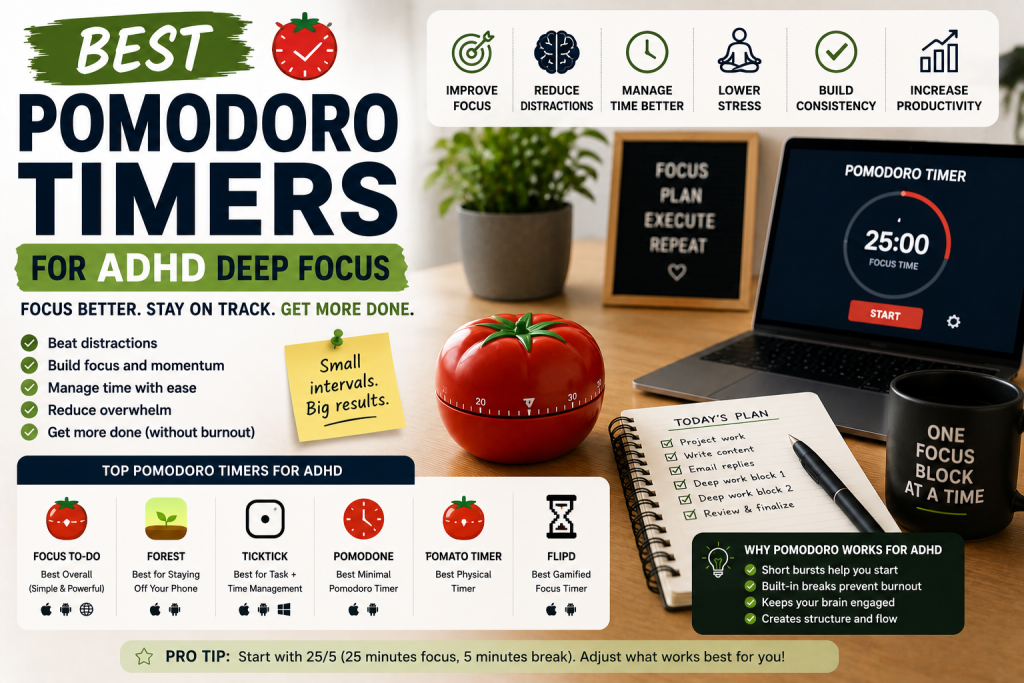
Finding the best Pomodoro timers for ADHD deep focus is one of the most impactful changes you can make to your daily work routine.
The right timer does not just count down minutes, it gives your ADHD brain the structure, urgency, and finality it needs to actually start and finish work.
Why the Pomodoro Technique Is One of the Best Focus Methods for ADHD Brains
If you’ve ever sat down to work and felt completely paralyzed by the sheer size of what you need to do — you already understand why the Pomodoro Technique works so well for ADHD.
The Pomodoro Technique was developed by Francesco Cirillo in the late 1980s and it’s beautifully simple. You work for 25 minutes on a single task. Then you take a 5-minute break. After four rounds you take a longer break of 15 to 30 minutes. Each 25-minute work interval is called a Pomodoro — named after the tomato-shaped kitchen timer Cirillo used as a student.
For neurotypical brains this is a solid productivity method. For ADHD brains it is something closer to a lifeline.
Here’s why. ADHD brains struggle with three things that the Pomodoro Technique directly addresses.
First, task initiation — starting work feels overwhelming when the task feels enormous and endless. But committing to just 25 minutes? That’s manageable. That’s finite. That’s something an ADHD brain can actually agree to do.
Second, time blindness — without a timer running, ADHD brains have no concrete sense of time passing. The Pomodoro timer makes time visible and urgent in a way that raw willpower never can.
If you want a complete guide on overcoming time blindness check out how to overcome time blindness with ADHD — Pomodoro timers are one of its most recommended tools.
Third, sustained attention — ADHD brains aren’t built for unlimited sustained focus. But 25 minutes of focused effort followed by a guilt-free break? That rhythm works with ADHD neurochemistry rather than against it.
The timer is the engine that makes the whole system run. In this guide we’ve rounded up the best Pomodoro timers for ADHD deep focus — from dedicated physical devices to apps to browser extensions — so you can find the one that fits your brain and your workflow.
What to Look for in a Pomodoro Timer for ADHD
✅ Easy One-Touch Start
The moment between deciding to start a Pomodoro and actually starting it is where ADHD task avoidance lives. The best Pomodoro timers reduce this moment to a single tap, click, or physical action — eliminating the friction that allows procrastination to take hold.
✅ Visual Countdown Display
ADHD brains are visual. A timer that shows you a countdown — whether on a physical display, a shrinking color wheel, or a progress bar on screen — makes time concrete and keeps you aware of how much of your Pomodoro remains without requiring you to check your phone.
✅ Automatic Break Transitions
The best Pomodoro apps automatically transition from work session to break and back again — so your brain doesn’t have to manage the sequence manually. This removes one more decision from your ADHD brain’s already overloaded decision-making queue.
✅ Session Tracking and History
Seeing how many Pomodoros you’ve completed today and this week gives ADHD brains the visual progress feedback they need to stay motivated and build consistency over time.
✅ Customizable Intervals
While 25 minutes is the standard Pomodoro interval, many ADHD adults find they need shorter sessions — particularly when starting out or on high-distraction days. Look for timers that allow you to adjust work and break intervals to suit your personal focus capacity.
✅ Distraction Blocking Integration
The most powerful Pomodoro tools combine the timer with distraction blocking — so that during your focus interval, distracting websites and apps are automatically blocked without requiring a separate app to manage.
The 7 Best Pomodoro Timers for ADHD Deep Focus
1. Focus@Will — Best Pomodoro Timer with Built-In Focus Music for ADHD
Best for: ADHD adults who want Pomodoro timing combined with scientifically designed focus music in a single app
Focus@Will combines a Pomodoro-style focus timer with a library of scientifically curated music channels designed to optimize focus and reduce mind-wandering. The music is specifically engineered to hit a sweet spot of stimulation that keeps ADHD brains engaged without becoming a distraction itself — a delicate balance that regular music rarely achieves.
The timer runs alongside the music — alerting you when your focus session ends and your break begins — creating a complete focus session experience in a single app. For ADHD adults who already rely on music to focus, Focus@Will takes that strategy to a significantly more effective level.
What Makes It Great for ADHD:
- Combines Pomodoro timer with scientifically designed focus music
- Multiple music channels optimized for different focus states
- Automatically transitions between focus and break periods
- Session tracking shows your focus history over time
- Available on web, iOS, and Android
- Productivity analytics help identify your peak focus patterns
Potential Drawback:
- Subscription required for full music library access
- Music style is not for everyone — takes some experimentation
- Less powerful distraction blocking than dedicated blocking apps
Best For: ADHD adults who already use music to focus and want a complete Pomodoro experience with scientifically optimized focus audio built in.
2. Be Focused Pro — Best Pomodoro App for ADHD Mac and iPhone Users
Best for: ADHD adults in the Apple ecosystem who want a clean, powerful Pomodoro app with detailed tracking
Be Focused Pro is one of the most polished and feature-complete Pomodoro apps available for Apple devices — and it has built a loyal following in the ADHD community for its clean interface, reliable performance, and detailed focus analytics. The app lets you create a task list, assign Pomodoros to each task, and track exactly how many sessions each project takes over time.
This task-level tracking is particularly valuable for ADHD adults who struggle with time estimation — after a few weeks of using Be Focused Pro you’ll have real data on how many Pomodoros your typical tasks actually require, making future planning dramatically more realistic.
What Makes It Great for ADHD:
- Task-level Pomodoro tracking improves time estimation over time
- Clean distraction-free interface reduces cognitive overwhelm
- Customizable work and break intervals for personalized ADHD focus
- Detailed analytics show focus patterns across days and weeks
- Syncs across Mac, iPhone, and iPad via iCloud
- One-time purchase — no subscription required
Potential Drawback:
- Apple ecosystem only — no Android or Windows version
- Interface may feel simple to power users who want more features
- iCloud sync occasionally unreliable for some users
Best For: ADHD adults in the Apple ecosystem who want a reliable, feature-rich Pomodoro app with detailed task-level tracking to improve their time estimation skills over time.
3. Pomofocus — Best Free Browser-Based Pomodoro Timer for ADHD
Best for: ADHD adults who work primarily at a computer and want a free, clean, no-download Pomodoro timer
Pomofocus is a completely free, browser-based Pomodoro timer that is so clean and well-designed that it rivals many paid alternatives. There’s nothing to download, nothing to install, and nothing to configure — you simply go to pomofocus.io, add your tasks, and start your first Pomodoro immediately.
For ADHD adults who get overwhelmed by complex app setups or who want to try the Pomodoro method without any commitment, Pomofocus is the perfect zero-friction entry point. The interface is minimal, the transitions are automatic, and the task list keeps you focused on what you’re supposed to be working on during each session.
What Makes It Great for ADHD:
- Completely free with no download or account required
- Minimal clean interface reduces cognitive overwhelm
- Automatic transitions between focus and break periods
- Simple task list keeps focus on current work
- Customizable work and break interval lengths
- Works on any device with a web browser
Potential Drawback:
- Browser-based means it’s on the same device as your distractions
- No mobile app — less effective for phone-based work
- Limited analytics and tracking compared to paid alternatives
Best For: ADHD adults who want to try the Pomodoro Technique immediately with zero setup, zero cost, and zero commitment.
4. Toggl Track with Pomodoro — Best Pomodoro Timer for ADHD Freelancers and Time Billing
Best for: ADHD freelancers and entrepreneurs who need to track time for billing alongside their Pomodoro focus sessions
Toggl Track is primarily a time tracking tool — but its built-in Pomodoro timer makes it a uniquely powerful option for ADHD freelancers and entrepreneurs who need to track billable hours. Every Pomodoro session you start in Toggl is automatically logged against the project or client you’re working on — giving you accurate time records for billing without requiring any manual time entry.
For ADHD adults who consistently undercharge clients because they lose track of how much time they’ve actually spent on projects, Toggl’s Pomodoro integration is genuinely transformative for their business finances.
What Makes It Great for ADHD:
- Pomodoro sessions automatically log billable time by project
- Eliminates manual time tracking for ADHD freelancers
- Detailed reports show exactly where your time went each week
- Available on all platforms with seamless sync
- Free tier covers most freelancer needs
- Integrates with project management tools like Asana and Trello
Potential Drawback:
- Primarily a time tracking tool — less focused on pure Pomodoro experience
- Setup requires creating projects and clients before tracking
- Can feel overly business-focused for personal productivity use
Best For: ADHD freelancers and entrepreneurs who need to simultaneously manage their focus sessions and track billable time for clients without maintaining two separate systems.
5. Time Timer Plus — Best Physical Pomodoro Timer for ADHD Visual Focus
Best for: ADHD adults who want a dedicated physical Pomodoro timer that keeps them off their devices entirely
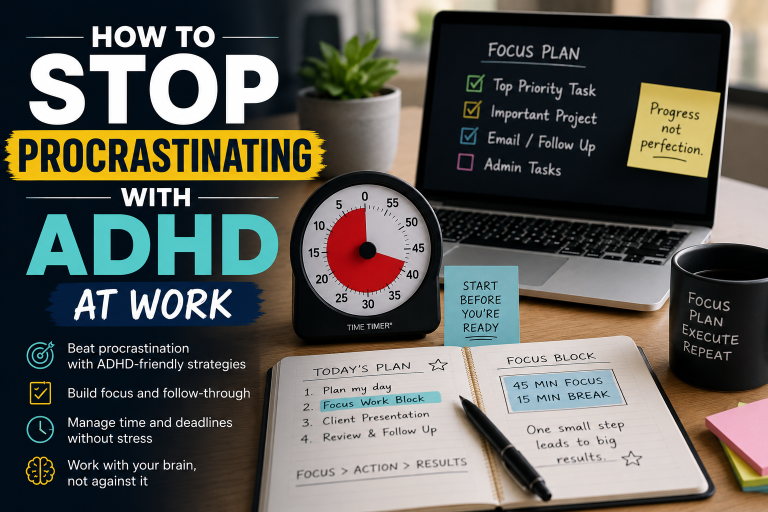
The Time Timer Plus is the premium physical timer option for ADHD adults who want to run Pomodoro sessions completely offline and device-free. Based on the legendary Time Timer visual design — the shrinking red disk that makes time concrete and visible — the Plus model adds a digital display, a built-in task tracking log, and a sleek professional design that looks at home on any desk.
Setting a 25-minute Pomodoro on the Time Timer Plus takes three seconds — turn the dial, press start, and focus. No apps, no notifications, no temptation to check your phone. Just you, your work, and a visual representation of your focus session ticking down in front of you.
What Makes It Great for ADHD:
- Visual red disk display makes Pomodoro time concrete and visible
- Physical device keeps you completely off your phone and laptop
- Built-in task log for tracking completed sessions
- Simple three-second setup removes all friction from starting
- Professional design suitable for any work environment
- Silent mode for office use
Potential Drawback:
- Higher price point than digital alternatives
- No automatic break timer — requires manual reset for break periods
- No app integration or digital analytics
Best For: ADHD adults who find digital Pomodoro apps too tempting to close or bypass and want a dedicated physical device that keeps their focus session completely separate from their digital devices.
6. Forest — Best Gamified Pomodoro App for ADHD Motivation
Best for: ADHD adults who need visual rewards and gamification to sustain Pomodoro motivation beyond the first week
We mentioned Forest in our focus apps article — but it deserves specific attention here as a Pomodoro tool because its gamification mechanics align perfectly with the Pomodoro structure. Each Forest session is essentially a Pomodoro — a fixed time block during which you commit to staying focused while a tree grows on screen.
The visual forest that builds up over days and weeks of completed sessions gives ADHD brains something the standard Pomodoro method lacks — a tangible, accumulating visual record of their consistency and effort. On difficult days when motivation is low, opening Forest and seeing a thriving forest of completed sessions can be a powerful reminder of what you’re capable of.
What Makes It Great for ADHD:
- Visual forest accumulates across sessions creating lasting motivation
- App blocking prevents phone distraction during Pomodoro sessions
- Gamification sustains engagement beyond initial novelty
- Real tree planting adds meaningful purpose to focus sessions
- Session history provides visual evidence of consistency
- Available on iOS, Android, and Chrome
Potential Drawback:
- Dying tree visual may feel discouraging on particularly difficult ADHD days
- Premium features require paid upgrade
- Less analytics depth than dedicated Pomodoro tracking apps
Best For: ADHD adults who have tried standard Pomodoro timers and found them too dry to maintain long-term — Forest’s gamification layer adds the motivational hooks that keep ADHD brains coming back.
7. Pomodone App — Best Pomodoro Timer for ADHD Task Management Integration
Best for: ADHD adults who already use task management tools and want Pomodoro timing layered directly on top of their existing system
Pomodone sits on top of your existing task management tools — Todoist, Trello, Asana, Wunderlist, and others — and adds Pomodoro timing directly to your existing task lists. Instead of managing a separate app for your tasks and a separate app for your timer, Pomodone brings them together in a single interface.
For ADHD adults who have already invested significant effort in building a task management system they actually use, Pomodone lets them add the Pomodoro method to that system without disrupting or replacing it — which dramatically lowers the adoption barrier.
What Makes It Great for ADHD:
- Layers Pomodoro timing directly onto your existing task management tools
- No need to rebuild or replace your current task system
- Tracks which tasks you spend Pomodoros on for time insights
- Integrates with Todoist, Trello, Asana, and other popular tools
- Available on Mac, Windows, iOS, and Android
- Detailed focus analytics across tasks and projects
Potential Drawback:
- Requires existing task management tool to work effectively
- Interface less polished than standalone Pomodoro apps
- Subscription required for most integrations
Best For: ADHD adults who already use a task management tool they love and want to add Pomodoro timing to their existing system without starting from scratch.
How to Make the Pomodoro Technique Actually Work for ADHD
1. Start with shorter intervals if 25 minutes feels too long. Many ADHD adults find 25 minutes overwhelming when starting out. Start with 15-minute Pomodoros and gradually increase the interval as your focus capacity builds. The goal is consistent use — not perfect intervals.
2. Commit to the break as seriously as the work session. ADHD brains often want to skip breaks and keep working during hyperfocus periods. Respect the break. Stand up, move your body, get water. The break is what makes the next Pomodoro possible.
3. Only work on one task per Pomodoro. The power of the Pomodoro is single-task focus. Resist the ADHD urge to multitask during a session. If another thought or task comes to mind, write it down quickly and return to your current task.
4. Plan your Pomodoros the night before. Spend five minutes each evening assigning specific tasks to tomorrow’s Pomodoro slots. Waking up with a pre-decided Pomodoro plan removes the morning decision fatigue that derails so many ADHD work days before they even start.
5. Track your Pomodoros to understand your capacity. How many Pomodoros can you realistically complete in a day before your focus deteriorates? Most ADHD adults find their sweet spot is between four and eight Pomodoros. Knowing your number helps you plan realistic workdays and avoid the burnout of overcommitting.
Frequently Asked Questions
Is the Pomodoro Technique good for ADHD? Yes — the Pomodoro Technique is one of the most recommended productivity methods for ADHD adults because it directly addresses time blindness, task initiation difficulty, and the need for regular breaks. The fixed time intervals make time concrete, the single-task focus reduces overwhelm, and the regular breaks work with ADHD neurochemistry rather than against it.
What is the best Pomodoro interval for ADHD? The standard 25-minute interval works well for many ADHD adults — but there’s no universal answer. Some ADHD adults do better with shorter 15 or 20-minute sessions, particularly when starting out or on high-distraction days. Others find they can sustain 45 or 90-minute deep work blocks once they’re in flow. Experiment to find what works for your brain.
What should I do during Pomodoro breaks with ADHD? The most effective break activities for ADHD adults involve physical movement — standing up, stretching, walking, or doing a few exercises. Avoid checking social media or email during breaks as these can trigger rabbit holes that make returning to focus significantly harder.
Can I use the Pomodoro Technique for creative work with ADHD? Absolutely. The Pomodoro Technique works particularly well for creative work because the fixed time intervals create a sense of urgency that can enhance creative output. Many ADHD writers, designers, and creators report that Pomodoro constraints actually boost their creativity by forcing them to generate ideas within a defined window.
What if I finish a task before the Pomodoro ends? Use the remaining time to review your work, plan your next Pomodoro, or do a quick brain dump of thoughts and ideas. Never end a Pomodoro early — the discipline of filling the full interval trains your ADHD brain to sustain focus for the complete session.
Final Thoughts: The Pomodoro Technique Gives Your ADHD Brain the Structure It Needs
The Pomodoro Technique works for ADHD because it takes the two things your brain finds most overwhelming — time and tasks — and makes them small, manageable, and finite.
Twenty-five minutes. One task. That’s it. Your ADHD brain can agree to that.
For the best overall Pomodoro experience, Focus@Will combines the timer with scientifically designed focus music in a way that is uniquely powerful for ADHD brains. For a completely free starting point, Pomofocus gets you into your first Pomodoro in under 60 seconds with zero setup.
And if you want to get completely off your devices, the Time Timer Plus gives you a physical, visual Pomodoro experience that keeps your phone in your pocket where it belongs.
Start your first Pomodoro today. Set the timer for 25 minutes. Pick one task. Begin.
You might be surprised how much you can accomplish when time has a boundary.
Ready to work in powerful focused sprints? Pick your Pomodoro timer, set it for 25 minutes, and start your first session right now.