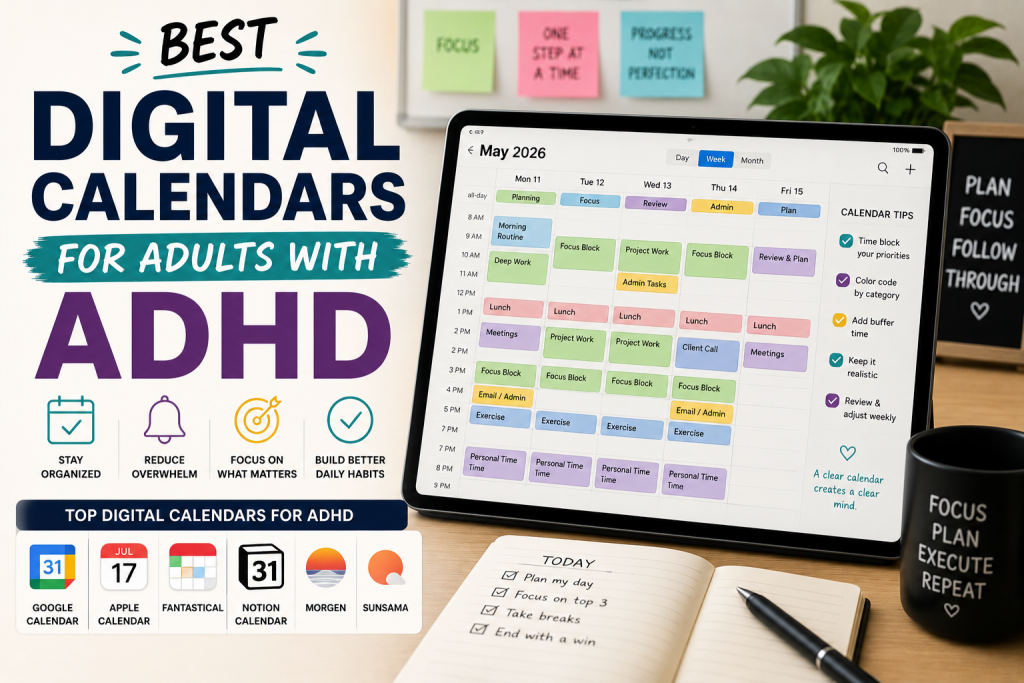
Best Digital Calendars for Adults with ADHD: Finally Stay on Top of Your Schedule
You open your calendar app. It’s a wall of color-coded blocks, overlapping events, and past-due reminders you keep dismissing. You know you…
You open your calendar app. It’s a wall of color-coded blocks, overlapping events, and past-due reminders you keep dismissing. You know you have something important today, you just can’t figure out what, when, or where you wrote it down.
Sound familiar? For adults with ADHD, traditional calendars, digital or paper can feel more like a source of anxiety than a tool for relief. The problem isn’t you. It’s that most calendars were designed for neurotypical brains that naturally remember to check them, process visual clutter without getting overwhelmed, and don’t need seventeen reminders just to leave the house on time.
The good news? There are digital calendars out there built (or at least highly adaptable) for the way your brain works. We’re talking tools with smart reminders, minimal visual noise, time-blocking features, and integrations that reduce the mental load of staying organized. This guide breaks down the seven best digital calendars for adults with ADHD, what makes each one work, where it falls short, and which type of person it’s best for.
What to Look For in a Digital Calendar if You Have ADHD
Not all calendars are created equal, especially for ADHD brains. Before we get into the reviews, here’s what actually matters.
✅ Smart, Customizable Reminders
One reminder fifteen minutes before an event doesn’t cut it. You need the option to set multiple reminders, one the night before, one two hours out, one thirty minutes out, and one that practically yells at you five minutes before.
✅ Visual Clarity (Not Visual Chaos)
Too many colors, fonts, and overlapping blocks can trigger overwhelm and shutdown. Look for calendars with clean interfaces, customizable views, and the ability to simplify what you see.
✅ Time Blocking Support
ADHD brains often struggle with time blindness, the inability to sense how long things actually take. Calendars that support time blocking (scheduling specific tasks into dedicated slots) help make time feel real and manageable.
✅ Cross-Device Syncing
If it only works on your laptop, it won’t suffice. Your calendar needs to be on your phone, your tablet, your laptop, wherever you are when a thought strikes or a meeting gets added.
✅ Low Friction to Add Events
If adding an event takes more than three steps, you won’t do it consistently. Natural language input (“lunch with Sarah next Tuesday at noon”) is a game-changer for ADHD users.
✅ Integration with Tasks and To-Dos
Your calendar and your to-do list should talk to each other. The best ADHD-friendly calendars let you see tasks and appointments in one place so nothing slips through the cracks.
The 7 Best Digital Calendars for Adults with ADHD
1. Structured — Daily Planner & Focus
Best For: Visual thinkers who need to see their whole day at a glance
Structured is one of the most visually intuitive calendar apps available right now. Instead of a traditional grid, it shows your day as a flowing timeline, a literal visual representation of where your time is going. You can see your morning, afternoon, and evening laid out like a river, with tasks and events flowing in order.
What Makes It Great for ADHD:
- The timeline view makes time blindness less brutal, you can see time passing in real time.
- Color-coded blocks are clear and uncluttered, not overwhelming.
- Drag-and-drop rescheduling is fast and satisfying.
- Works great as a daily anchor, you see your whole day, not just the next event.
- Integrates with Apple Calendar, Google Calendar, and reminders.
Potential Drawback: It’s primarily a daily view app, not ideal if you need to plan weeks or months ahead. Also Apple-ecosystem only (iOS/macOS).
Best For: ADHD adults who are visual thinkers, love simplicity, and want a daily planning anchor that actually makes sense of their schedule.
2. Fantastical — Calendar & Tasks
Best For: Power users who want natural language input and full calendar control
Fantastical has been a fan favorite for years, and for good reason. It combines a beautiful calendar interface with natural language event creation. You type “dentist appointment Thursday at 2pm” and it just works. No dropdowns, no forms, no friction.
What Makes It Great for ADHD:
- Natural language input dramatically reduces the effort of adding events.
- DayTicker view shows a clean, scrollable list of upcoming events so nothing hides.
- Tasks and calendar events live in the same app.
- Multiple smart reminder options per event.
- Syncs across all Apple and Google devices smoothly.
Potential Drawback: The full feature set requires a premium subscription (Fantastical Premium), which is on the pricier side. The free version is limited.
Best For: ADHD adults who are already in the Apple or Google ecosystem and want the fastest, most frictionless way to add and manage events.
3. Google Calendar
Best For: People who need a reliable, free, cross-platform calendar with solid integrations
Google Calendar isn’t flashy, but it’s a workhorse, and for ADHD users on a budget, it punches well above its weight. It’s free, works on every device, and integrates with nearly every productivity tool on the planet.
What Makes It Great for ADHD:
- Multiple reminder types (email, push notification) with full customization.
- “Goals” feature automatically schedules recurring habits into open time slots.
- Color-coding by calendar keeps work, personal, and health events visually separate.
- Easy sharing with family, partners, or an accountability buddy.
- Works with IFTTT and Zapier for automation.
Potential Drawback: The default interface can feel cluttered when you have a full week view. It requires some setup and intentional organization to make it truly ADHD-friendly.
Best For: ADHD adults who want a free, dependable calendar they can customize and integrate with every other tool they use.
4. Motion — AI-Powered Calendar & Task Manager
Best For: Entrepreneurs and professionals who need their schedule built for them automatically
Motion is not just a calendar, it’s an AI scheduler. You dump your tasks and deadlines in, and Motion automatically builds your daily schedule, rearranges things when priorities shift, and reschedules missed tasks without you having to think about it.
What Makes It Great for ADHD:
- Removes the overwhelming mental load of deciding what to do and when.
- Auto-reschedules when your day goes sideways (which with ADHD, it often does).
- Combines tasks, meetings, and projects into one adaptive view.
- Sends reminders and daily schedule summaries.
- Reduces decision fatigue significantly.
Potential Drawback: Motion is expensive compared to traditional calendars, it’s a subscription-based SaaS product. It also has a learning curve upfront. If you’re not ready to fully commit to the system, it can feel like overkill.
Best For: ADHD entrepreneurs and professionals with full, complex schedules who want an AI co-pilot to handle the logistics of their day.
5. Reclaim.ai
Best For: People who want smart automation and habit scheduling built into their work calendar
Reclaim.ai sits between a traditional calendar and an AI scheduler. It connects to your Google Calendar and automatically defends time for your priorities — habits, task blocks, focus time, and even lunch breaks — fitting them around your existing meetings intelligently.
What Makes It Great for ADHD:
- Auto-schedules recurring habits (exercise, journaling, deep work) without manual effort.
- Smart meeting scheduling links eliminate back-and-forth emails.
- “Productivity Stats” show you where your time actually went, great for building self-awareness
- Defends buffer time between meetings so you’re not sprinting from one call to the next.
- Free plan is genuinely useful.
Potential Drawback: Currently works only with Google Calendar (no Outlook support on the free plan). The interface can be a bit technical to configure initially.
Best For: ADHD professionals who use Google Workspace and want their calendar to proactively protect time for the things that actually matter.
6. Apple Calendar (with Shortcuts Automation)
Best For: iPhone/Mac users who want a simple, free, deeply integrated option
Apple Calendar often gets overlooked because it seems basic — but when paired with Apple Shortcuts, Siri, and Focus Modes, it becomes a genuinely powerful ADHD tool. The key is using it in combination with the rest of the Apple ecosystem rather than in isolation.
What Makes It Great for ADHD:
- Siri voice input means zero friction adding events (“Hey Siri, remind me to call the accountant Thursday at 10am”).
- Focus Modes can silence notifications based on your calendar events automatically.
- Shortcuts let you build one-tap automations like “Start Workday” that open your schedule and set your focus mode simultaneously.
- Completely free for Apple users.
- Clean, minimal design that doesn’t overwhelm.
Potential Drawback: Almost useless if you’re not in the Apple ecosystem. And without intentional customization, it’s a pretty bare-bones experience.
Best For: ADHD adults who are fully committed to the Apple ecosystem and want a free, clean option they can automate with Siri and Shortcuts.
7. Sunsama — Daily Planning Ritual App
Best For: People who want a structured, intentional start to every day
Sunsama is less of a traditional calendar and more of a daily planning ritual tool. Each morning, you go through a guided planning session, pulling in tasks from Asana, Notion, Todoist, and GitHub and map them to specific time blocks in your day. It integrates with Google Calendar and Outlook to show your meetings alongside your tasks.
What Makes It Great for ADHD:
- The guided morning ritual creates a consistent daily anchor, deeply helpful for ADHD brains.
- Time estimates per task help combat time blindness.
- Channels feature separates work from personal tasks visually.
- End-of-day review builds self-awareness around how time was spent.
- Calm, minimal interface, no visual clutter.
Potential Drawback: Sunsama is a paid subscription with no free tier beyond the trial. It’s also intentionally designed for one-day-at-a-time planning, so it’s not ideal for long-range project planning.
Best For: ADHD adults who thrive with routine and want a guided daily planning ritual that connects their task list and calendar in one place.
How to Stick With Your Digital Calendar (ADHD Edition)
Finding the right app is step one. Actually using it consistently is where most ADHD brains struggle. Here are five strategies that make a real difference.
1. Do a 5-minute weekly review every Sunday.
Sit down, look at your upcoming week, and make sure everything that matters is on the calendar. This one habit prevents more missed appointments than any reminder ever will.
2. Set at least two reminders for everything important.
One reminder the day before. One reminder 30–60 minutes before. Use both.
3. Add events immediately — not later.
The moment you make a commitment, it goes in the calendar. “I’ll add it later” is how ADHD tax gets paid.
4. Keep one calendar, not five.
Too many separate calendars create friction. Start with one or two (work + personal) and only expand if you genuinely need it.
5. Pair your calendar with a daily planning habit.
Whether that’s Sunsama’s guided ritual or just a 3-minute check-in each morning, looking at your calendar at the same time every day turns it from a forgotten app into a true anchor.
Frequently Asked Questions
Q: What is the best digital calendar for adults with ADHD?
A: It depends on your needs. For visual thinkers, Structured is hard to beat. For automation, Motion or Reclaim.ai are excellent. For a free option that works everywhere, Google Calendar with some customization is the most accessible starting point.
Q: Can digital calendars actually help with ADHD time blindness?
A: Yes — especially apps like Structured (which shows time flowing visually) and Motion (which builds your schedule automatically). No app is a cure, but the right one can make time feel much more concrete and manageable.
Q: How many reminders should I set for important events if I have ADHD?
A: Most ADHD coaches recommend at least two: one the night before or a few hours out, and one 30–60 minutes before the event. For high-stakes appointments, add a third reminder 10–15 minutes before.
Q: Is it better to use a free or paid calendar for ADHD?
A: Free tools like Google Calendar and Apple Calendar work well with intentional setup. If you need AI scheduling or habit protection, paid tools like Motion or Reclaim.ai offer features that are genuinely worth the cost for the right person. Try free trials before committing.
Q: Should I use a digital calendar or a paper planner if I have ADHD?
A: Many ADHD adults actually use both — a digital calendar for reminders and scheduling, and a paper planner or bullet journal for daily task breakdowns and braindumping. They complement each other well. Digital wins for reminders; paper wins for tactile engagement and focus.
Final Thoughts
There’s no single best digital calendar for every adult with ADHD, because no two ADHD brains are exactly alike. What works is finding the tool that removes friction, fits your existing habits, and actually gets checked every day.
If you’re just starting out, Google Calendar is the safest bet, free, everywhere, and more powerful than most people realize.
If you want the most ADHD-optimized experience and you’re on Apple devices, try Structured for your daily view and pair it with Fantastical for event entry.
If you’re a busy professional or entrepreneur drowning in a complex schedule, Motion or Reclaim.ai might be the closest thing to a productivity superpower you’ve found yet.
The best calendar is the one you actually open every morning. Start there.
Ready to take back your schedule? Pick one tool from this list, commit to it for 30 days, and pair it with a simple morning check-in. You might be surprised how much things change. And if you found this helpful, check out our other guides on ADHD productivity tools at VidaLit.