How to Build a Time Management System for ADHD (That You’ll Actually Stick With)
If you are trying to figure out how to build a time management system for ADHD that actually sticks — you are…
If you are trying to figure out how to build a time management system for ADHD that actually sticks — you are in the right place. Here’s the hard truth nobody says out loud: most time management advice was not written for your brain. It was written for people who can look at a to-do list and feel motivated by it. People who remember what day it is without checking their phone three times. People who can estimate how long something takes and actually be right. That is not ADHD. That is a completely different operating system.
If you’ve tried planners, apps, alarms, and sticky notes only to watch them work for three days and then collect dust, you are not failing at time management. You are trying to run software that was never built for you. If you want to understand what a system built for your brain actually looks like from the ground up start with our guide on how to build a personal operating system for deep focus.
This guide exists to fix that. You are going to build an ADHD time management system that works with your brain, not against it, one that accounts for hyperfocus, time blindness, task paralysis, and all the other quirks that make you you.
Let’s build it together.
Why This Matters for ADHD
Time blindness is one of the most underappreciated symptoms of ADHD. It is not about being irresponsible. It is about how your brain literally perceives time differently, in two modes: right now and not right now.
This means deadlines that feel far away simply don’t register as urgent until they are terrifyingly close. It means “I’ll do it in five minutes” turns into two hours without you noticing. It means you can hyperfocus on something interesting for six hours but can’t make yourself start a 20-minute task you find boring.
A standard time management system ignores all of this. It assumes steady motivation, accurate self-estimation, and natural prioritization. An ADHD time management system has to externalize those things, building structure outside your brain so your brain doesn’t have to carry it alone.
Getting this right is not about becoming more disciplined. It is about designing an environment and a system that removes the friction between you and your best work.
How to Build a Time Management System for ADHD: 9 Actionable Steps
Step 1: Audit How You Actually Spend Your Time (No Judgment)
Before you build anything new, spend one week tracking where your time actually goes. Not where you think it goes. Where it actually goes.
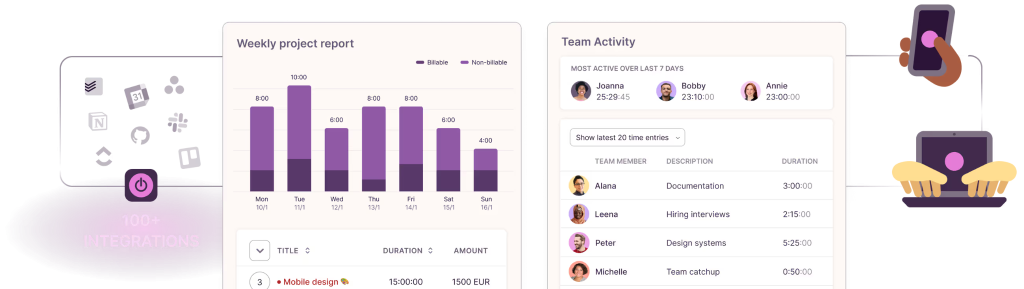
Use a simple time-tracking app like Toggl Track or just a notebook. Every hour or two, write down what you’ve been doing. After seven days, you will have real data and it will likely surprise you.
This step matters because ADHD brains are notoriously bad at self-estimation. You may think you spend two hours on email. You might actually spend four. You may think work takes all day. You might find three hours disappear to context-switching and phone use. You can’t fix what you can’t see. If you want a deeper breakdown of time tracking tools that work specifically for ADHD check out our guide on the best time tracking software for ADHD freelancers — many of the tools apply to professionals and entrepreneurs too.
Step 2: Choose ONE Central Command Hub
The biggest mistake ADHD brains make with productivity is having too many places to track things. One planner for work tasks. Another app for personal stuff. A calendar for appointments. A sticky note for “important reminders.” A napkin for that idea you had at lunch. This is a recipe for overwhelm and things falling through the cracks.
Pick one system that holds everything. It can be digital or physical, what matters is that it is the only place you look. Popular options include:
- Notion is built for visual thinkers who need flexibility. You can create a custom dashboard that holds your task list, weekly schedule, notes, and goals all in one place.
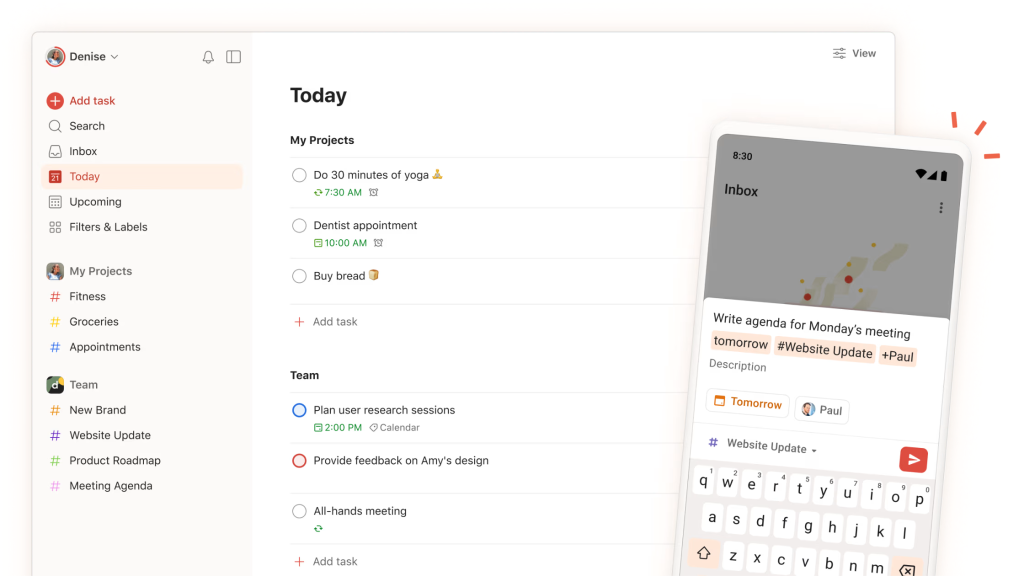
- Todoist is clean, fast, and built around one thing: capturing and completing tasks without friction. You can dump a task within seconds, set a due date, assign a priority level, and move on. No setup required, no rabbit holes.

- The Full Focus Planner is a physical, paper-based planner designed by Michael Hyatt specifically around intentional daily prioritization. Each page walks you through identifying your top three daily priorities, scheduling your time blocks, and doing a brief end-of-day review. If screens kill your focus or you just think better with a pen in your hand, this planner gives your ADHD brain the structure it needs in analog form.
If you already have a system that kind of works, don’t abandon it. Consolidate into it instead.
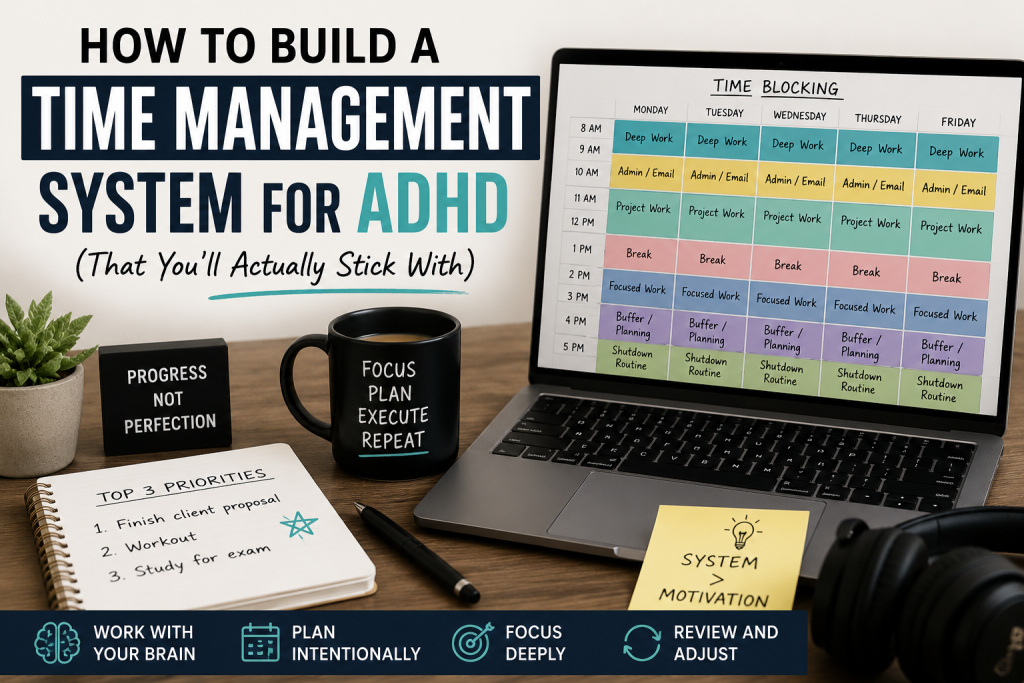
Step 3: Break Time Into Visible Blocks (Time Blocking for ADHD)
ADHD brains do not respond well to open-ended schedules. “Work on project” from 9am to 5pm is basically meaningless, it gives your brain nothing to hook onto. Time blocking changes this. You assign specific tasks to specific time chunks, so every hour has a clear purpose.
The key is to keep blocks short, 25 to 90 minutes maximum. Longer than that and your brain will drift. Here’s a simple structure to start with:
- Morning Anchor Block (60–90 min): Your single most important task, done first
- Admin Block (30–45 min): Email, messages, small tasks
- Deep Work Block (60–90 min): Focused project work
- Buffer Block (30 min): Transition time and anything that ran over
- End-of-Day Shutdown Ritual (15 min): Review the day, set tomorrow’s priorities
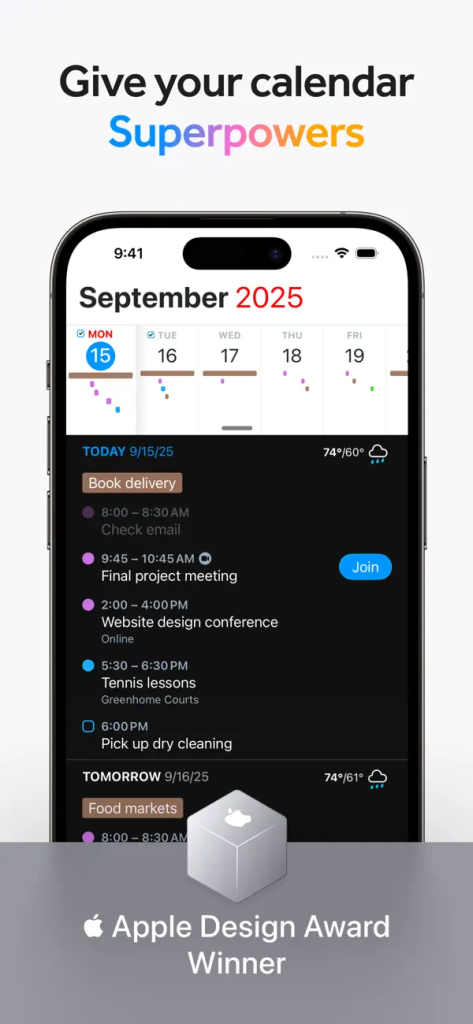
Use Google Calendar or Fantastical to schedule these blocks visually. Seeing your day as a color-coded map is far more brain-friendly than a text list. For a full guide on how to use time blocking specifically with an ADHD brain check out how to use time blocking if you have ADHD and our roundup of the best time blocking apps for ADHD professionals.
Step 4: Use the “Big 3” Daily Priority Method
Forget the 20-item to-do list. It is not a plan, it is anxiety in bullet form. Each morning (or the night before), identify your Big 3: the three tasks that must get done today for the day to count as a win.
That’s it. Three.
Everything else is a bonus. This works because it forces prioritization, you have to decide what actually matters. And it creates a realistic finish line. ADHD brains thrive on clear endpoints. “Finish the day with these 3 things done” is far more motivating than “try to get through this endless list.”
Write your Big 3 somewhere visible, a sticky note on your monitor, a whiteboard, or the top of your planner page. Keep it simple. Keep it physical if possible.
Step 5: Make Time Visible with External Timers
This is non-negotiable for ADHD time management because your brain does not naturally sense time passing, you need to make it visible and audible.
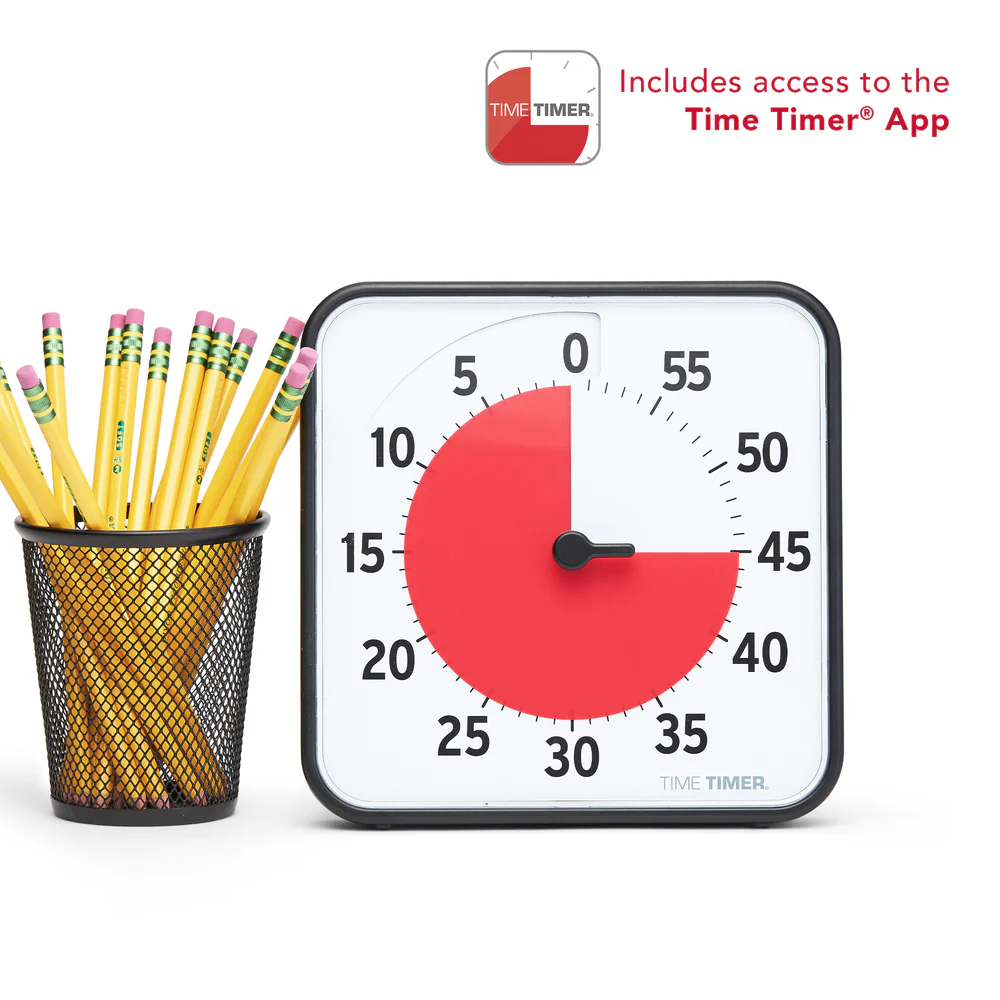
The Time Timer is the gold standard for this — it shows a visual countdown that shrinks as time passes, giving your brain a constant external cue.
For focused work sessions, pair it with the Pomodoro Technique: 25 minutes on, 5-minute break. After four sessions, take a longer 20–30 minute break. The Forest app gamifies this beautifully and blocks your phone at the same time.
The rule: whenever you sit down to work, start a timer. Always. For a full breakdown of the best visual timers available check out our guide on the best timers for ADHD time management at work. The ticking creates urgency. The visual feedback keeps your brain anchored in the present.
Step 6: Design Transition Rituals Between Tasks
One of the most underrated ADHD struggles is transitioning between tasks. You finish one thing and suddenly you’re scrolling TikTok for 40 minutes because your brain didn’t know what to do next. Or you can’t stop what you’re doing because you’re deep in a hyperfocus spiral and the next task feels impossible to start.
Transition rituals solve both problems. A transition ritual is a consistent 2–5 minute micro-routine you do between every task block. It could be:
- Stand up, drink water, write down where you stopped
- Do 10 jumping jacks and read your Big 3 out loud
- Say “task done” out loud, close all tabs, write the next task at the top of a fresh note
The specific ritual matters less than the consistency. It signals to your brain: this chapter is closing, a new one is starting. Over time it becomes automatic, a gear shift your system handles for you. Building this kind of automatic behavior is exactly what a discipline system that works without motivation is designed to do.
A tool that helps here is a simple visual timer on your desk. You can use Habitica. This habit-tracking app lets you turn your transition ritual into a daily habit you check off and earn rewards for surprisingly motivating for the ADHD brain that needs a little gamification to stay consistent.
Step 7: Build a Weekly Review Into Your System
The weekly review is what keeps your ADHD time management system alive, without it, things drift and tasks pile up. The system stops feeling current and you stop trusting it, so you stop using it.
Block 30–45 minutes every Sunday (or Friday afternoon) for your weekly review. Walk through these five questions:
- What did I complete this week?
- What didn’t get done — and why?
- What’s coming up next week that I need to prepare for?
- What are my Big 3 for Monday morning?
- Is anything in my system outdated or creating clutter?
This is maintenance, not punishment. Think of it like charging your phone. Skip it and things start dying.
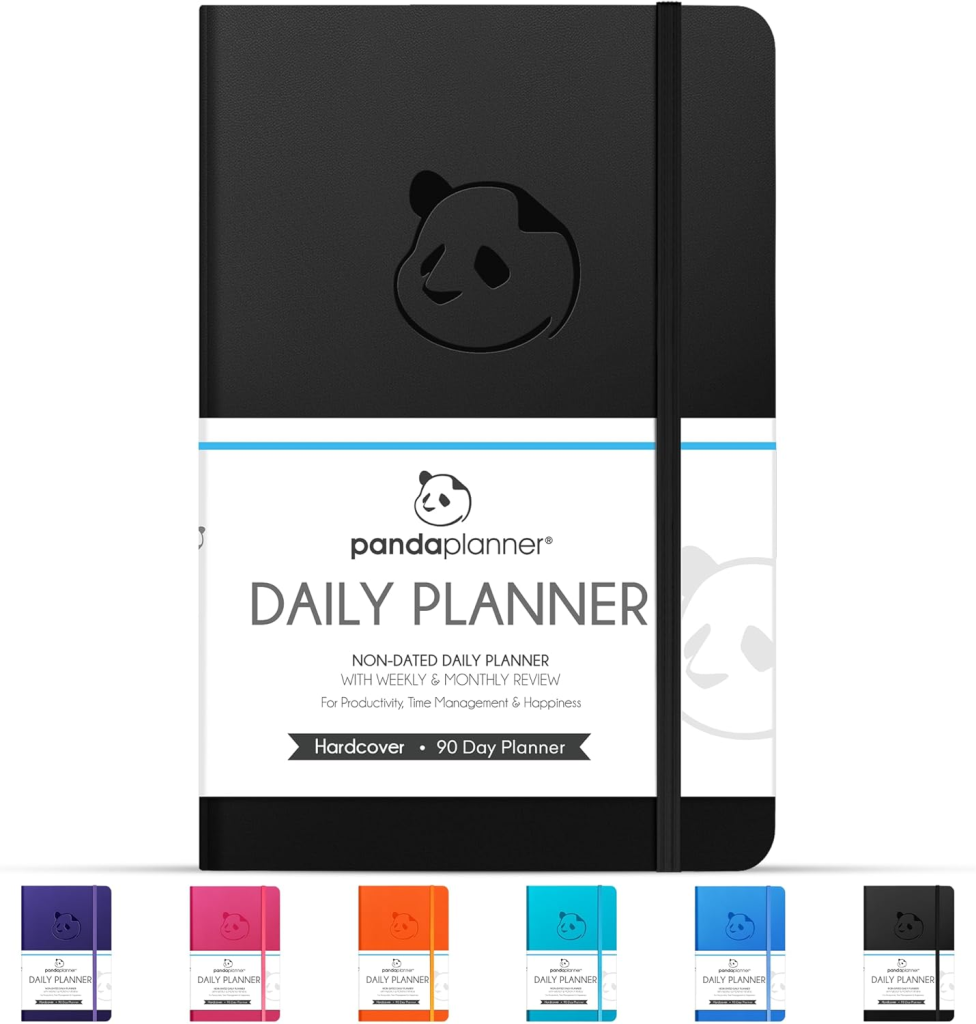
A physical planner like Panda Planner has built-in weekly review pages if you prefer paper. Otherwise, create a simple weekly review template in Notion or Todoist.
Step 8: Add “Body Doubling” to Your Toolkit
Body doubling is the ADHD phenomenon where you work better in the presence of another person, even if they’re doing something completely different and completely silent. It works because social awareness activates your attention system in a way that empty solo work often can’t. You can body double in many ways:
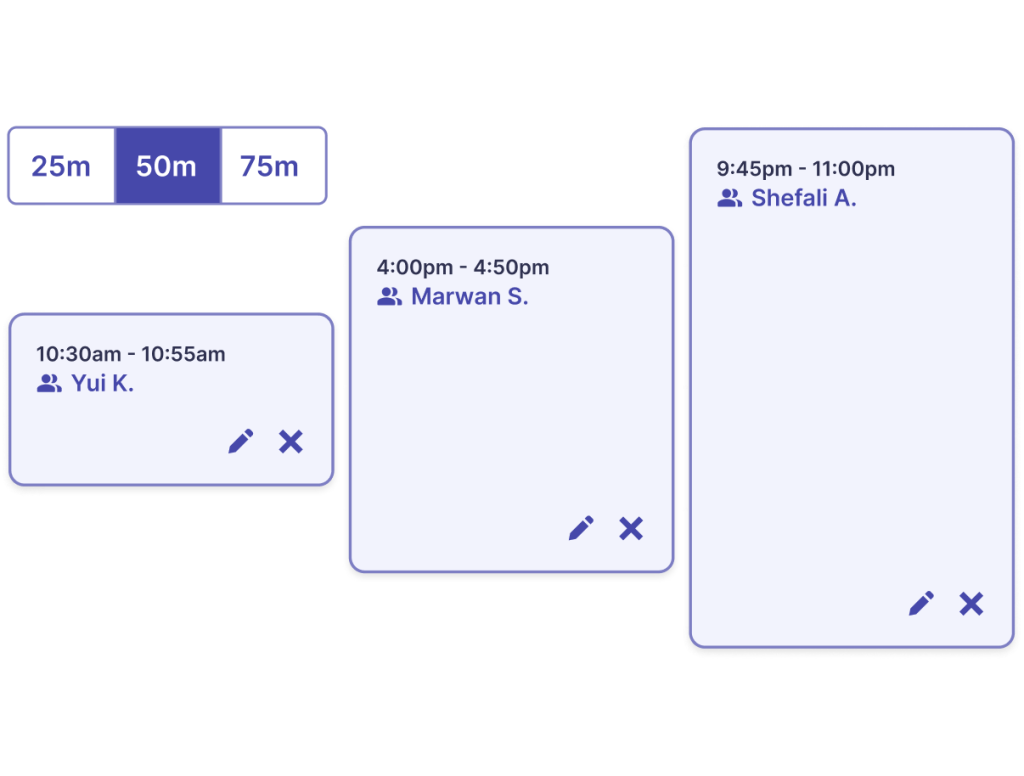
- Work from a coffee shop or library
- Join a Focusmate virtual co-working session (scheduled 50-minute video calls with a stranger who holds you accountable)
- Turn on a “study with me” YouTube video
- Call a friend and work silently on separate tasks
This is not a hack. It is a legitimate, research-backed strategy for ADHD brains. Build it into your system as a regular tool, especially for tasks you have been avoiding. If you want to understand the neurological reason why body doubling works so well for ADHD read our breakdown of how dopamine drives your focus and motivation.
Step 9: Forgive the Bad Days and Restart the System
Here is what no productivity guru tells you: the system will break. You will have a week where nothing works. You’ll miss your Big 3, skip your weekly review, and forget the timer existed. This is not failure. This is ADHD.
The difference between people who build lasting systems and people who don’t is not perfection. It is the ability to restart without shame.
When the system breaks it will not start over from scratch. Just do the smallest possible thing to re-engage with it. Review your Big 3 for tomorrow. Do a five-minute timer on one task. Open the planner. That’s it. Motion creates momentum. You don’t need to rebuild everything. You just need to begin again.
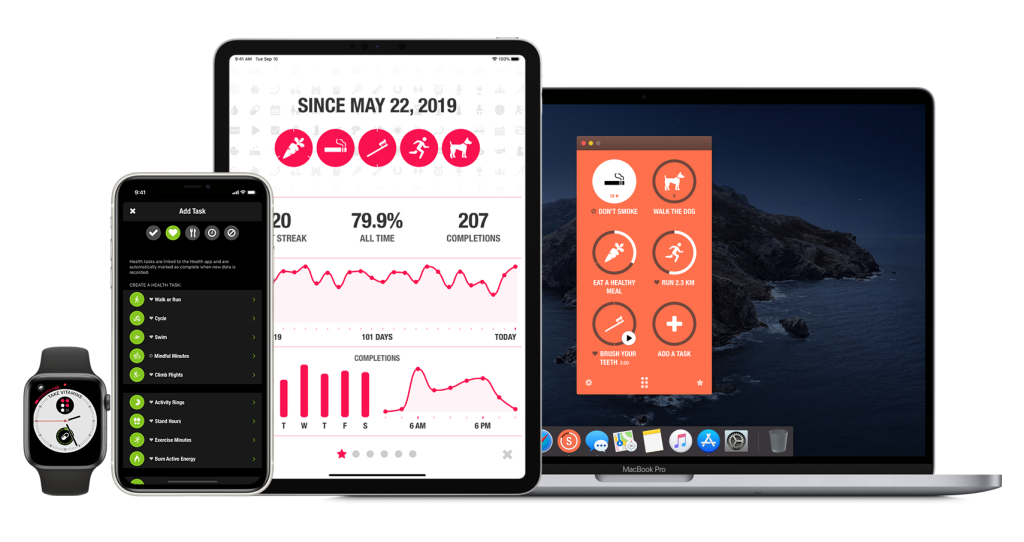
A habit tracker makes this restart process much easier. Apps like Streaks let you track your core system habits, daily Big 3, weekly review, timer use so you can see at a glance where things broke down and exactly where to pick back up. It removes the mental effort of figuring out what “restarting” even means. You open the app, see what you missed, and start there. Simple.
Common Mistakes to Avoid
1. Overcomplicating the system on Day 1. Building a 47-step, color-coded productivity cathedral feels productive but it isn’t. Start with the smallest version that works: one hub, one daily priority method, one timer. Add complexity only when the basics are solid.
2. Using willpower as the foundation. Your system should not rely on you feeling motivated. It should work on the days you feel awful. Design it with defaults, reminders, and physical cues that activate the system automatically.
3. Choosing tools you think you should like instead of tools you actually use. If you hate apps, don’t use apps. If you lose paper planners, go digital. Your system has to fit your actual life — not the life of the productivity influencer you follow.
4. Skipping the weekly review. This is the most common reason ADHD time management systems die. The review is the immune system of the whole setup. Don’t skip it.
5. Treating a bad day as proof the system doesn’t work. It doesn’t. One bad day proves you are human. Give any new system at least 30 days before judging whether it actually works.
Frequently Asked Questions
Q: What is an ADHD time management system? A: It is a structured set of tools, routines, and strategies designed specifically for how ADHD brains work — accounting for time blindness, task paralysis, difficulty with transitions, and inconsistent motivation. Unlike generic productivity systems, it externalizes structure so your brain doesn’t have to hold everything on its own.
Q: Why do standard time management methods fail for ADHD? A: Most time management systems assume a level of executive function — prioritization, self-regulation, accurate time estimation — that ADHD brains struggle with neurologically. They are built for neurotypical brains and don’t account for the unique challenges of ADHD.
Q: How long does it take to build an ADHD time management system? A: You can have a basic working version in a week. Expect 30–60 days before it starts feeling natural. The system will evolve over time as you learn what works for your specific brain and lifestyle.
Q: What’s the best app for ADHD time management? A: There is no single best app — it depends on whether you prefer visual, analog, or digital tools. Todoist and Notion work well for task management. Google Calendar or Fantastical are great for time blocking. Focusmate is excellent for accountability. The “best” app is the one you’ll actually use every day.
Q: What if I try a system and it stops working after a week? A: That’s normal with ADHD. The goal isn’t to find a perfect system you never stray from — it’s to have a system you know how to return to. Build your weekly review in and use it to recalibrate. Restart small whenever things drift.
Final Thoughts
Building an ADHD time management system is not about becoming a different person. It is about creating an external structure that makes it easier for the person you already are to do your best work.
Start with the audit. Pick one hub. Use visible time. Name your Big 3. Review every week. And when the system breaks — restart, no drama.
If you are looking for more tools, strategies, and real talk for your ADHD brain, Vida Lit is built for exactly this. A great next step from here is our guide on how to manage time with ADHD as a busy professional — it goes deeper on the daily habits and tools that make this system sustainable long term. Every article on this site is written to give your brain the structure, clarity, and honest guidance it actually needs — not recycled advice from people who’ve never missed a deadline in their life. Bookmark the blog, explore the resources, and keep building.
You are not broken. You just need a different blueprint. And once your system is in place read our guide on the art of making one life-changing decision at a time — it will show you how to simplify the rules around your system so it becomes automatic rather than effortful.
Ready to take the first step? Pick just one tool or strategy from this guide and implement it today. Not tomorrow — today. One change, committed to for 30 days, will do more for your productivity than a perfect system you never start. You’ve got this.